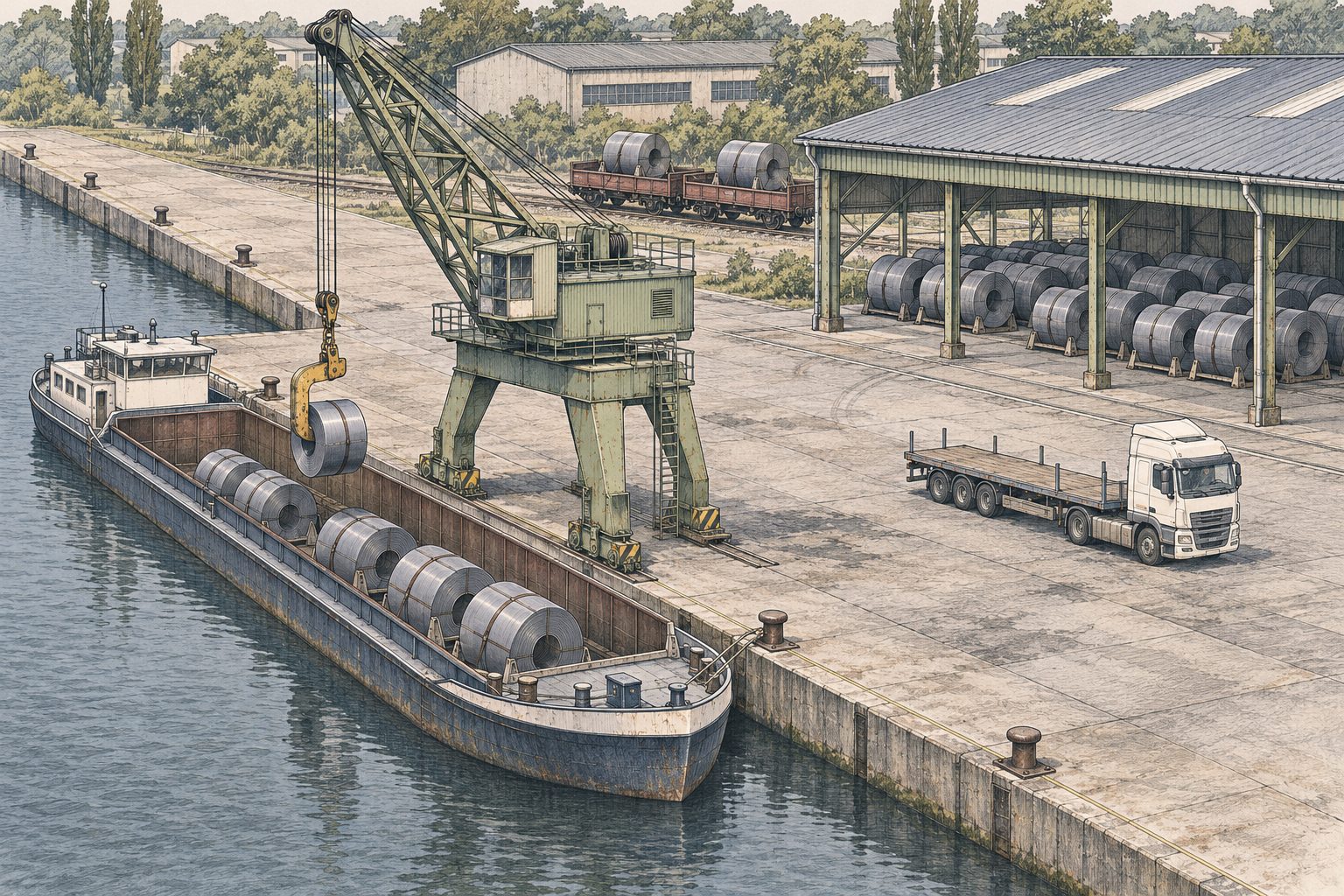
Steel coils being handled at the quayside
Port & Terminal

One system for port and terminal

IPMS, ITOS and Visual Port: port management software and terminal software, from vessel notification and berth planning to port invoicing.

Since1989
80+systems in daily operation
50,000+users

1 in 2major German seaports run on INPLAN

⅓of German seaport cargo passes through ports that run INPLAN

One port, one software

Click or tap a spot in the sample port. We show what INPLAN handles there.

Drawn sample port: inland vessel with steel coils at the quay, crane with a coil on the hook, open warehouse with coils, rail siding with freight wagons and a truck

For the whole port: Port tariffs and invoicing → Reporting → Property and leases → All IPMS features → All ITOS features →

Drawn sample port with sample data.

From vessel call to port invoice

IPMS brings the administration of your port together in one system. Your tariffs and your reporting channels are built in. Every transaction has a status that everyone can see.

  • Vessel notificationEnter the call once. Every further step uses the same data, right through to the invoice.
  • BerthPlan and allocate berths, with occupancy and times in view.
  • Port invoiceInvoice port dues and services according to your tariffs, right through to e-invoices in XRechnung or ZUGFeRD.
  • Reports to authoritiesReports to authorities and to the National Single Window, generated from the data already entered.
  • E-invoicingXRechnung and ZUGFeRD straight from the port invoice, also by email.
  • Property managementLeases and service charges for port land in the same system.
  • Statistics and reportsInland waterway statistics in the official format and more than 300 ready-made reports.

More about IPMS →Property management →

IPMS · Vessel notificationExample
Call: Vessel A · Quay 414.11. · 18:30
✓Vessel notified09:12
✓Berth allocated09:40
✓Report to authorities submitted10:05
Port invoicein preparation
Stylised view with sample data.

Vessel, rail, truck and warehouse in one control centre

ITOS controls cargo handling at your terminal. What happens at the quay, on the rail track and at the gate appears on the same screen and ends up in the same invoice.

  • One control centreAll modes of transport in context, from vessel to storage yard.
  • From shift to invoiceShift plans and work records flow into invoicing.
  • Weighbridges and checklistsWeighing at the gate, plus dangerous goods and berth checklists within the workflow.
  • All cargo typesBulk, general cargo, coils, vehicles, RoRo and containers.
  • Warehouse and wagonsStock, storage locations and storage charges, plus wagon counting with wagon number validation.
  • Commercial functions in the same systemInvoicing, contribution margin and post-calculation per shift, project and partner.
  • Access and customsAccess control and customs parties built into the terminal workflow.
  • Tailored to your terminalFunctions can be enabled per site, multi-entity capable, with roles and permissions.

More about ITOS →RoRo solution →

ITOS · Control centreExample
VesselVessel A · Quay 4 · Discharging62 %
RailTrain 4711 · Track 3 · Loading28 of 40 wagons
TruckGate 2 · Weighing14 vehicles
WarehouseShed 2 · Steel coils3,420 t
Early shiftWork record flows into invoicing
Stylised view with sample data.

See berth and yard occupancy in real time

Visual Port shows how your port is occupied right now. Planners see at a glance what is free and what will become free.

  • BerthsOccupancy and time slots per quay.
  • VesselsWho is berthed where and how far each call has progressed.
  • Storage areasStorage and handling areas with fill levels.
  • AIS vessel dataVessel positions and calls directly in the port graphic.
  • Planning with checksBerth planning with conflict checks: live, in review and for future planning.

More about Visual Port →

Visual Port · Berths and storage areaslive · Example
Area AArea BArea C 78 %45 %90 % Quay 1Quay 2Quay 3 Vessel A Vessel B expected 18:00 free Vessel C Quay 4 Quay 5expected 20:30 Quay 6Vessel D
  • occupied
  • expected
  • free
Stylised view with sample data.

What we are building right now

Artificial intelligence, modern technology and audited security: that is how your port stays up to date.

Artificial intelligence

  • Support and development already work with AI every day.
  • AI assistant for port data: ask in your own words, get answers from ITOS and IPMS. We are expanding it together with our customers.
  • Situation map for management: berths, cargo handling and utilisation on a real port map.
  • You decide whether and where AI is used in your organisation.

Modernisation

  • New user interface for IPMS and ITOS, on large screens as well as tablets.
  • Ongoing migration to current Microsoft .NET technology.
  • Every change with four-eyes review and an automated build.
  • Mobile apps for vessel notification and warehousing, for iOS and Android.

Security

  • Remote maintenance only through the encrypted access you specify.
  • Remote access to our systems only with multi-factor authentication.
  • Hosting by INPLAN in a German data centre certified to ISO/IEC 27001.
  • External data protection officer, annual data protection audit, Valsoft group security standard.

From Lower Saxony to Jordan

Germany

National Single Window Lower Saxony

INPLAN-NSW: reporting system for vessel calls at the major seaports and 30 smaller seaports of Lower Saxony, in line with EU requirements.

30+ seaports
More about the reporting system →
Jordan

Aqaba

International tender won in an 18-month procedure against around 50 international competitors.

All projects →

Implementation, integration and operation

INPLAN implements what INPLAN develops. From the first meeting to day-to-day operation, you deal with the same contacts.

Implementation

We map your tariffs, reporting channels and processes and train your team.

Integration

Your port relies on many systems. We connect them to the solution.

Hosting

Support and further development from Mülheim an der Ruhr. The solution grows with your port.

Typical integrations
Weighbridges and gateAIS and water levelsFinancial accounting and documentsReporting and statistics systemsE-invoicingMobile apps

Choose a workflow from your port and we’ll show it to you in INPLAN in 30 minutes

No obligation. Online or at your site.

Phone+49 208 6591-950

Emailinfo@inplan.de

Helpful for our first reply: your organisation and the process you would like to see.